


VCTRS ASC GA4 DataStudio Connector
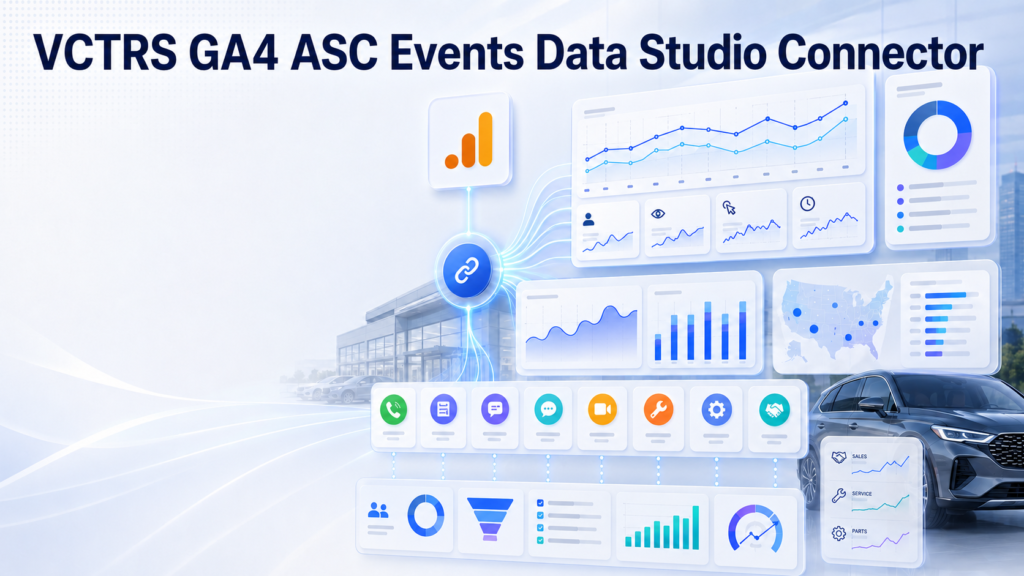
Dealership lead reporting, straight from your GA4. Take the trouble out of troubleshooting ASC events on automotive websites. Subscribe & view the Automotive Standards Council's standard events in an easy to digest form.
Turns your GA4 property's ASC events into dealership lead reporting in Looker Studio, plus every GA4 field.
114
Metrics
379
Dimensions
493
Total fields
5 min
Setup time
14 days
Free trial
Overview
GA4 ASC Events is a Looker Studio community connector that understands the Automotive Standards Council (ASC) v1.2 event specification — all 47 ASC events (41 standard + 6 optional). It exposes every dimension and metric available on your GA4 property — the schema is built live from the Google Analytics Data API, including custom definitions — and layers automotive lead reporting on top: phone, chat/SMS, form and video-call lead metrics, department and appointment breakdowns, 15 built-in conversion-rate metrics, 23 pre-declared vehicle fields (including EV range and charge times), and multi-property rollups for dealer groups.
- Never double-counts: channel lead metrics count parent submission events only; ASC derivative events are reported as department and appointment breakdowns.
- Complete GA4 surface: all standard fields plus registered custom dimensions and metrics, grouped by GA4’s own categories; new fields appear automatically.
- Forward-compatible: a dynamic event registry and an Unclassified ASC alert absorb new ASC events without a redeploy; built-in audit tools flag anything unknown.
- Zero setup, read-only: sign in with Google, pick a property from a dropdown, chart. No API keys, no exports, no servers in the data path — and the connector can never change your Analytics data.
Connector details
Capabilities & limits
Known limitations
- Session/user metrics (Sessions, Total Users) should not share a chart with ASC lead metrics — keep them in separate charts on the same page.
- Maximum 9 dimensions and 10 metrics per chart (GA4 Data API limit).
- Custom event parameters only work after registration in GA4 Admin → Custom definitions, and collect data from registration forward only.
- The ‘ASC events only’ option filters every query to the 47 asc_* events — leave it off for property-wide metrics or they will undercount.
- Data follows GA4 processing latency (typically 24–48 h; intraday partial).
API & quota limits
GA4 Data API caps each query at 9 dimensions and 10 metrics per chart (the connector reports a clear error when exceeded). Quotas are per-property and token-based; the 30-minute result cache keeps typical dashboards well inside them.
Sampling & aggregation
The connector never samples. GA4 may withhold rows on very small segments (privacy thresholding), and some GA4 dimension/metric pairs cannot be combined in one query — the connector surfaces GA4's own message when that happens.
How it works
Subscribe
Check out with the Google email you use for Looker Studio. Access activates automatically within minutes.
Connect
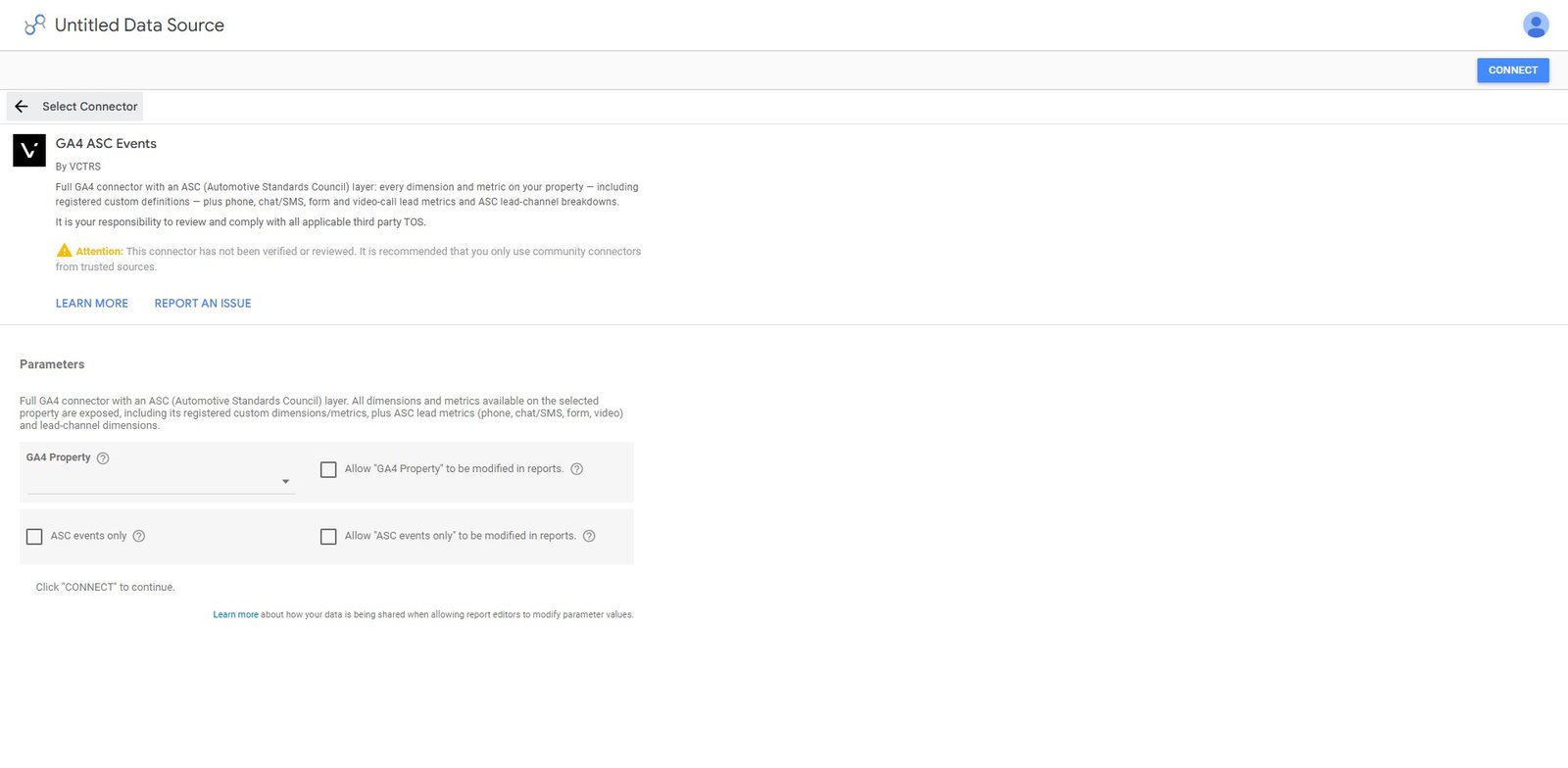
Open the connector link, authorize read-only Analytics access with your Google account, and pick your GA4 property.
Build
Drag lead metrics and GA4 fields onto charts. Share dashboards with your whole team — viewers don't need a subscription.
Features
Channel lead metrics
Phone, Chat/SMS, Form, Video Call and Total Leads — counted from parent submission events only, so derivative events never double-count a lead.
Sales / Service / Parts breakdowns
Department and appointment lead metrics across every channel, straight from ASC derivative events. See what Service really drives.
Funnels & rates
Click-to-calls, form and chat engagements, 30-second call milestones — with built-in Form Completion and Chat Conversion rates.
Every GA4 field included
The complete field surface of your property — traffic sources, devices, geography, ecommerce, plus your registered custom dimensions — organized in grouped pickers.
Leads by marketing channel
Cross ASC lead metrics with GA4 session source, medium and channel grouping to see which campaigns produce leads, not just sessions.
No keys, no exports
Sign in with Google, pick your property from a dropdown, chart. Each user sees only the GA4 properties their own account can access.
Multi-store rollups
Combine several GA4 properties into one data source, every row tagged with Property and Property ID — dealer-group reporting without duplicate data sources.
Vehicle & EV fields
23 pre-declared vehicle dimensions — make, model, year, VIN, price and more — plus 7 EV fields (range, battery %, charge times) new in ASC v1.2.
Traffic filters & forward-compatible
One-click filters for internal traffic and test/staging hosts, plus a dynamic event registry and Unclassified ASC alert that absorb new ASC events without a redeploy.
Use cases
Dealership lead scorecards
A header row of Total, Phone, Chat/SMS, Form and Video lead scorecards with previous-period comparison — the top of every dealership dashboard.
Leads by marketing channel
Cross lead metrics with GA4 session channel grouping or source/medium to see which campaigns drive leads, not just sessions.
Department & appointment breakdowns
Split classified leads into Sales, Service, Parts and appointment-set leads across every channel using ASC derivative events.
Engagement funnels
Track form starts to form leads and click-to-calls to completed calls, with built-in completion and conversion rates.
Multi-store reporting
One data source per store, in-report property switching, or blended group rollups for dealer groups.
Data fields & reports
Key metrics
asc_total_leadsAll completed lead submissions: phone + chat/SMS + form + video call. Counts parent submission events only — never double-counts.
asc_phone_leadsCompleted, vendor-tracked phone calls (asc_voice_submission).
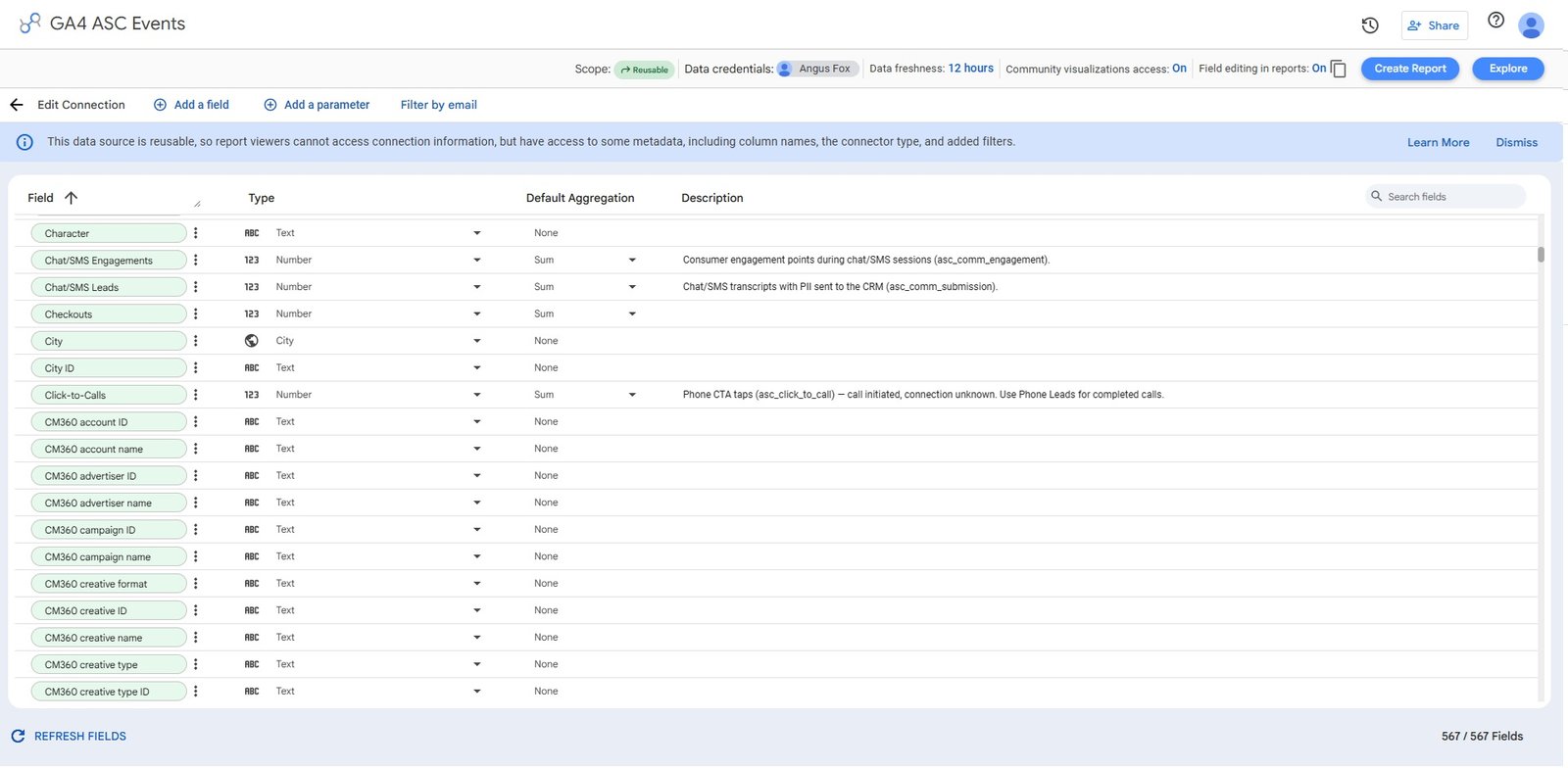
asc_chat_leadsChat/SMS transcripts with PII sent to the CRM (asc_comm_submission).
asc_form_leadsCompleted forms with PII sent to the CRM (asc_form_submission).
asc_video_leadsCompleted video calls sent to the CRM (asc_video_call_submission).
asc_sales_leadsLeads classified as sales opportunities, across all channels — a breakdown of the channel leads.
asc_service_leadsLeads classified as service opportunities, across all channels.
asc_click_to_callsPhone CTA taps (asc_click_to_call) — call initiated, connection unknown.
asc_voice_calls_30sVoice calls that reached 30 seconds — a common quality-call proxy.
asc_form_completion_rateForm Leads ÷ Form Engagements — calculated in Looker Studio from the bucket metrics.
asc_chat_conversion_rateChat/SMS Leads ÷ Chat/SMS Engagements.
asc_phone_connect_rateVoice Calls ≥ 30s ÷ Click-to-Calls — how often a tapped call actually connects.
asc_overall_lead_rateTotal Leads ÷ all engagements — the funnel top-line conversion.
asc_sales_appt_leadsSales appointment-set leads across all four channels, from ASC derivative events.
asc_service_appt_leadsService appointment-set leads across all four channels.
asc_unclassifiedAlerts when the site fires an asc_* event the registry does not know — a forward-compatibility signal.
Key dimensions
asc_event_labelFriendly ASC event name, e.g. “Form Lead — Sales Appointment”. Non-ASC events show their raw GA4 name.
asc_lead_channelPhone, Chat/SMS, Form, Video, Website — or Non-ASC for events outside the ASC spec.
asc_event_classConversion, Derivative Conversion, Engagement, or Derivative Engagement per ASC v1.2.
asc_is_conversionTrue for ASC conversion and derivative-conversion events.
asc_lead_departmentSales, Service, Parts, Sales/Service Appointment, Other or Unclassified — classified from ASC derivative events.
asc_lead_qualityHot (appointments), Warm (sales/service leads), Cold, or Non-Lead — a quick triage tier.
item_makeOne of 23 pre-declared vehicle dimensions (make, model, year, VIN, price…) plus 7 EV fields, populated from registered custom parameters.
ga4_propertyGA4 property name/ID for multi-store rollups — break down or filter any chart by store.
Supported reports & endpoints
runReport (GA4 Data API)
Each chart's fields are composed into one runReport query (max 9 dimensions / 10 metrics per chart), paged and cached for 30 minutes.
metadata (GA4 Data API)
Reads the property's full field inventory to build the dynamic schema, including custom definitions; cached for 6 hours.
accountSummaries (GA4 Admin API)
Lists the GA4 properties the signed-in account can access, powering the property dropdown in the connector configuration.
Screenshots
Report templates
Pricing
$49/month — one subscription per analyst. Unlimited properties, data sources, reports and report viewers.
Analyst subscription
$49/mo
One subscription per analyst. Report viewers are always free.
All ASC lead, department, engagement and rate metrics
Every GA4 dimension & metric, including custom definitions
Unlimited GA4 properties and data sources
Report viewers are always free
Cancel anytime — access runs to the end of the billing period
Lifetime Deal
$499.00
All ASC lead, department, engagement and rate metrics Every GA4 dimension & metric, including custom definitions Unlimited GA4 properties and data sources Report viewers are always free Lifetime License for VCTRS ACS GA4 Events Looker Studio/Data Studio Connector
LIfetime License with updates
1 Hour Custom Report Consulting
Enterprise
Call
Multiple Accounts under one license for OEMS, Marketing Agencies, Vendors, or Large dealer groups
Multiple Account Access to the Data Studio Connector
Cancel anytime via the Stripe billing portal or by contacting us. Access continues until the end of the current billing period; no partial-period refunds unless required by law. Reports and their layouts are never deleted — resubscribing restores data access.
Setup guide
≈ 5 minutes from install to first chartPrerequisites
A Google account with GA4 access
At least Viewer access to the GA4 property. Only the person creating the data source needs this — report viewers don't.
ASC events flowing into GA4
The website (or its provider) must send ASC-standard events (asc_form_submission, asc_click_to_call, …) to the property for the lead fields to have data. All regular GA4 fields work regardless.
Setup steps
Subscribe
Check out with the same Google email you use for Looker Studio. Access activates automatically within about ten minutes.
Open the connector link and authorize
Open the Looker Studio connector link and grant read-only Analytics access with your Google account.
Pick your GA4 property
Choose from a dropdown of every property your account can read. Leave “ASC events only” off for general use.
Connect and build
Click Connect, review the field list, and create your report. Drag lead metrics and GA4 fields onto charts.
Trusted by data teams
Security & privacy
Data accessed
The connector requests three permissions:
- Read-only Google Analytics data (analytics.readonly) — runs the reports you build, lists the GA4 properties your account can access, and reads the selected property’s field definitions. It cannot create, change, or delete anything in your Analytics account.
- Your Google account email (userinfo.email) — used solely to verify subscription status.
- External connections (script.external_request) — the technical permission to call the Google Analytics API and the payment processor’s API.
Data stored
The connector runs entirely on Google Apps Script — there are no third-party servers in the data path. Query results are held in a temporary cache for 30 minutes to 6 hours, then expire automatically. Subscription status is cached as a yes/no flag keyed to a hash of your email for up to 6 hours. No Analytics data is written to permanent storage.
Data retention
Cached query results expire automatically within 30 minutes to 6 hours and never leave Google's infrastructure. No Analytics data is permanently stored by the connector. Billing records are held independently by Stripe.
OAuth scopes requested
https://www.googleapis.com/auth/analytics.readonlyRun the reports you build, list the GA4 properties your account can access, and read the selected property's field definitions — read-only.
https://www.googleapis.com/auth/userinfo.emailVerify whether an active subscription exists for your account.
https://www.googleapis.com/auth/script.external_requestCall the Google Analytics API and the payment processor's API from Apps Script.
Encryption & credential protection
Runs inside Google Apps Script under Google's security controls. Analytics access uses OAuth tokens managed by Google — the connector never sees passwords and never stores long-lived credentials. Payment credentials are handled solely by Stripe.
Data residency
Executes entirely on Google's infrastructure (Google Apps Script); cached data never leaves Google's infrastructure.
Maintenance & deprecation
Updates ship as new Apps Script deployment versions — the production deployment ID never changes, so existing users are unaffected until a version is published. The field schema self-refreshes within ~6 hours (or immediately via “Refresh fields”). No keys to rotate and no servers to maintain.
Troubleshooting & known issues
Common issues
Other users get “The linked connectorId was invalid”
The Apps Script project isn’t link-shared (share it as “Anyone with the link — Viewer”), the head deployment ID was shared instead of the versioned production one, or the deployment’s access is left at “Only myself”.
Config shows a text input instead of the property dropdown
The Analytics APIs aren’t enabled on the script. Re-add “Google Analytics Data API” and “Google Analytics Admin API” via Services (+) in the Apps Script editor and wait 1–2 minutes.
“Google hasn't verified this app” warning
Normal for personal scripts — click Advanced → Go to GA4 ASC Events. It is your own read-only script running under your own account.
Everything shows “Non-ASC” / lead metrics are 0
The property isn’t receiving asc_* events. Verify in GA4 Admin → DebugView / Realtime; the site’s ASC tagging is the fix, not the connector.
Sessions look too low
“ASC events only” is ON in that data source, or Sessions is mixed into a lead-metric chart. Keep session metrics and lead metrics in separate charts and leave the filter off for site-wide metrics.
“…not registered on this GA4 property”
A custom-parameter dimension is being used without registration. Register it in GA4 Admin → Custom definitions → Create custom dimension; registration collects data going forward only.
“Too many fields for one GA4 query”
The chart exceeds GA4’s per-query cap of 9 dimensions and 10 metrics. Remove fields — normal charts use 1–4.
Quota exceeded
Big property plus many charts. Narrow date ranges and reduce chart count; the connector caches results for 30 minutes, so bursts settle.
Known issues
Session metrics over-count when mixed with lead metrics in one chart
Mixing session-scoped metrics (Sessions, Total Users) with ASC lead metrics in the same chart forces a hidden per-event breakdown; session numbers become “sessions containing that event” and re-add wrongly.
By design (GA4 API) — use separate chartsSome GA4 dimension/metric pairs cannot be combined
The GA4 Data API rejects certain combinations (same as GA4 Explore). The connector surfaces Google's own error message.
GA4 API limitation — remove one fieldRecent data is incomplete
GA4 processes data with 24–48 hour latency and today is always partial; GA4 may also withhold rows on tiny segments (privacy thresholding).
Upstream GA4 behaviorFrequently asked questions
Do my report viewers need a subscription?
No. Only the person who creates a data source needs an active subscription. Anyone they share reports with views the data freely, using the creator’s connection.
Does my website need special tagging?
Your site (or its website provider) must send ASC-standard events — asc_form_submission, asc_click_to_call and so on — to your GA4 property. Most major automotive website platforms ship ASC events out of the box. All regular GA4 fields work regardless.
Why do leads here differ from my CRM?
The connector reports what GA4 recorded, following the ASC spec exactly — parent submission events only, so nothing is double-counted. Differences from CRM counts usually come down to tagging coverage, consent-mode gaps, or CRM deduplication windows.
Can the connector change anything in my Analytics?
No. It requests read-only access (analytics.readonly) and cannot modify your GA4 property, tags or data.
What happens if I cancel?
Your subscription runs to the end of the paid period; after that, data sources show a renewal notice instead of data. Your reports and their layouts are never deleted — resubscribing brings them straight back.
I subscribed but the connector says I need a subscription.
Make sure you checked out with the same email you use for Google / Looker Studio. New subscriptions activate within about ten minutes. Still stuck? Contact us via vctrs.io.
Related connectors
Connect Google Analytics 4 to Looker Studio in minutes
Dealership lead reporting, straight from your GA4. Take the trouble out of troubleshooting ASC events on automotive websites. Subscribe & view the Automotive Standards Council's standard events in an easy to digest form.